Events on a Form
Form Events are specialised events associated with a Form Field that trigger integrations to populate fields on a Factorial Form While creating or editing a Form Field, click on the Events tab (as indicated in the image below) in the drawer panel to configure an event to trigger an integration.
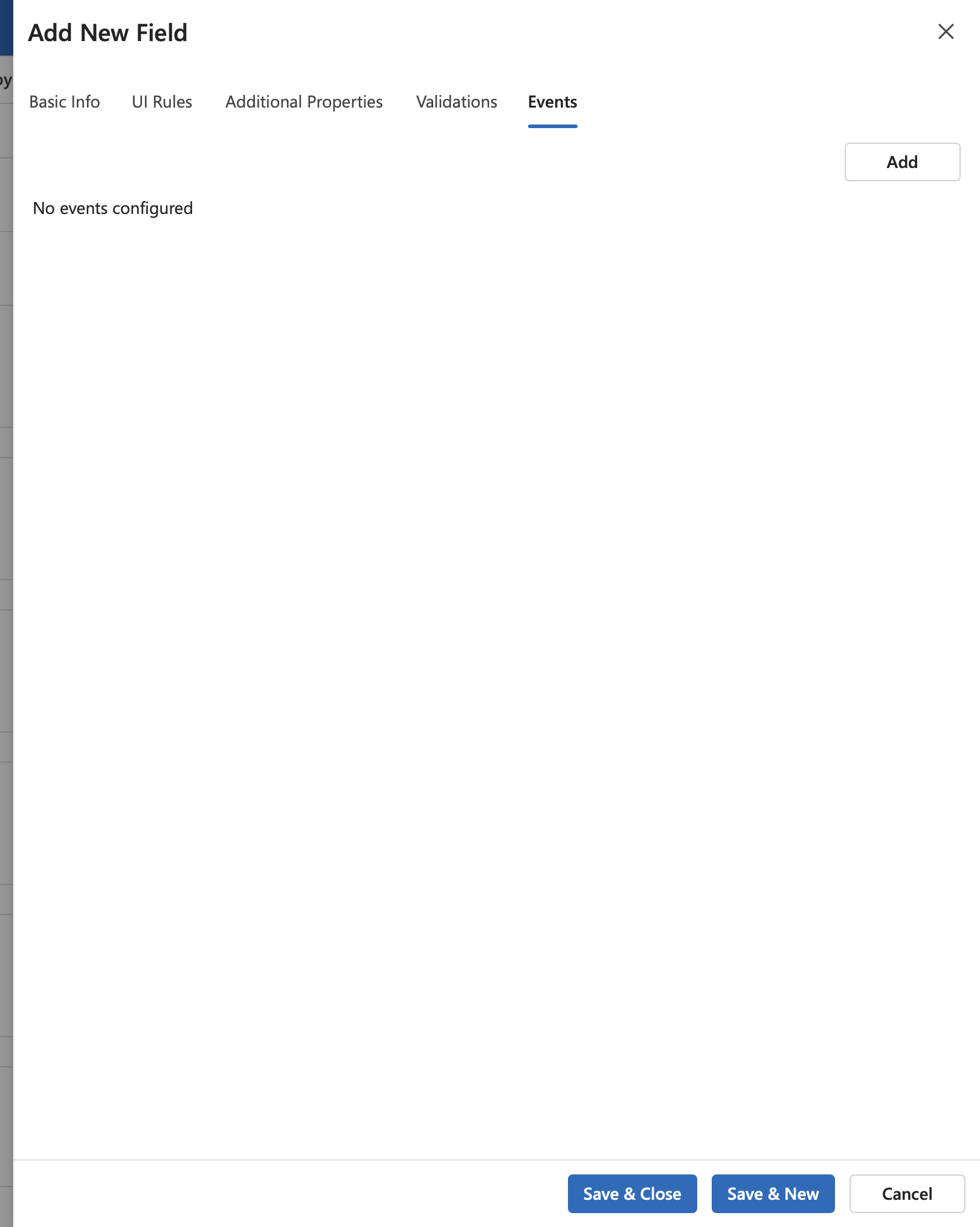
Add a Form Event
Follow the below steps to configure a new form event for a field.
- Click on the
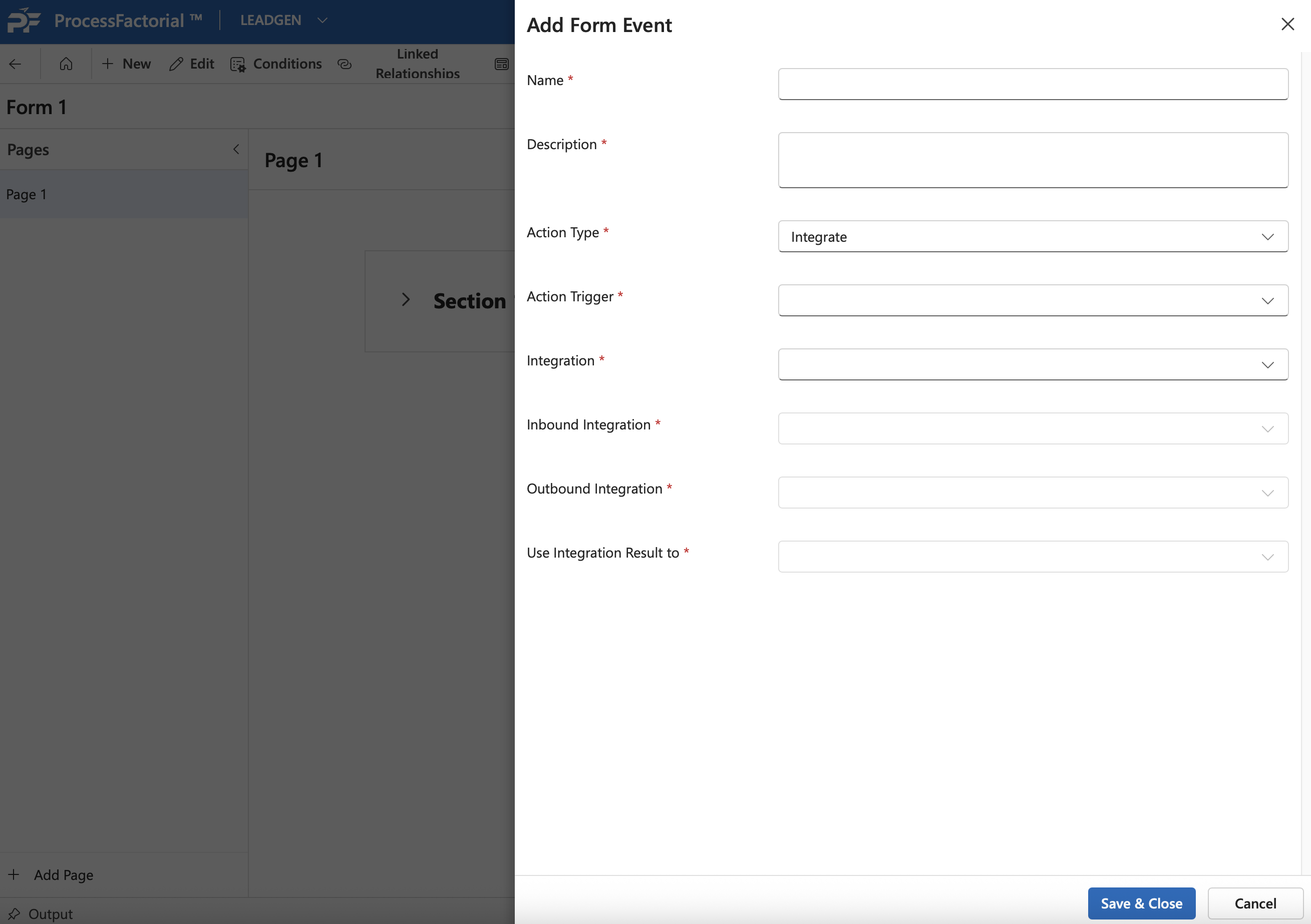
Addbutton to add a new form event. - Fill out the following details
| Field | Description |
|---|---|
| Name | A suitable name for the event |
| Description | A succinct description for the form event |
| Action Type | The type of action to be triggered. 'Integrate' by default. |
| Action Trigger | Define the scenario that triggers the event. Choose between: 1. When a key is pressed 2. When a field value is updated |
| Integration | Choose the integration that needs to be executed. Refer Create Address Lookup integration to learn how an integration is configured through an example. |
| Inbound Integration | Choose the inbound mapping of the selected integration. Refer [here](../examples/create-address-lookup-integration.md#^44acd6) to learn more from an example |
| Outbound Integration | Choose the outbound mapping of the selected integration. Refer [here](../examples/create-address-lookup-integration.md#^2da4ac) to learn more from an example |
| Use Integration Result to | Choose what the result of the integration needs to be used for. Either to: 1. Auto-populate the associated field 2. Populate another field in the Factorial Form |
- Click on
Save & Closeto save the event.