Test your Form
Test your form
ProcessFactorial provides a dedicated form tester to test out deployed forms.
ProcessFactorial Form Tester
The form tester requires the html code snippet of the form to be tested. Following steps outline how to configure the form tester to test your form.
-
To fetch the form code snippet, follow the instructions provided in the article Expose Your Journey to link the form to a host, but ensure that
ProcessFactorial React Portalis chosen as the platform (illustrated below).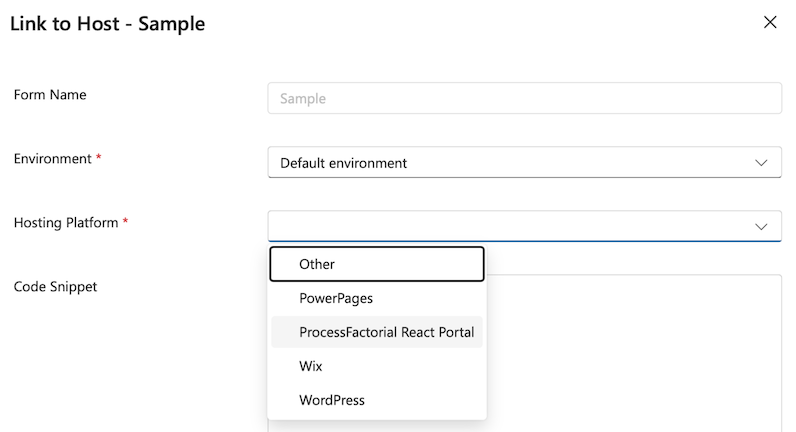
-
Follow the rest of the instructions and obtain the code snippet.
-
Use the link ProcessFactorial™ Form Tester to launch the form tester.
-
Click on the
Formsdropdown in the top panel and selectAdd.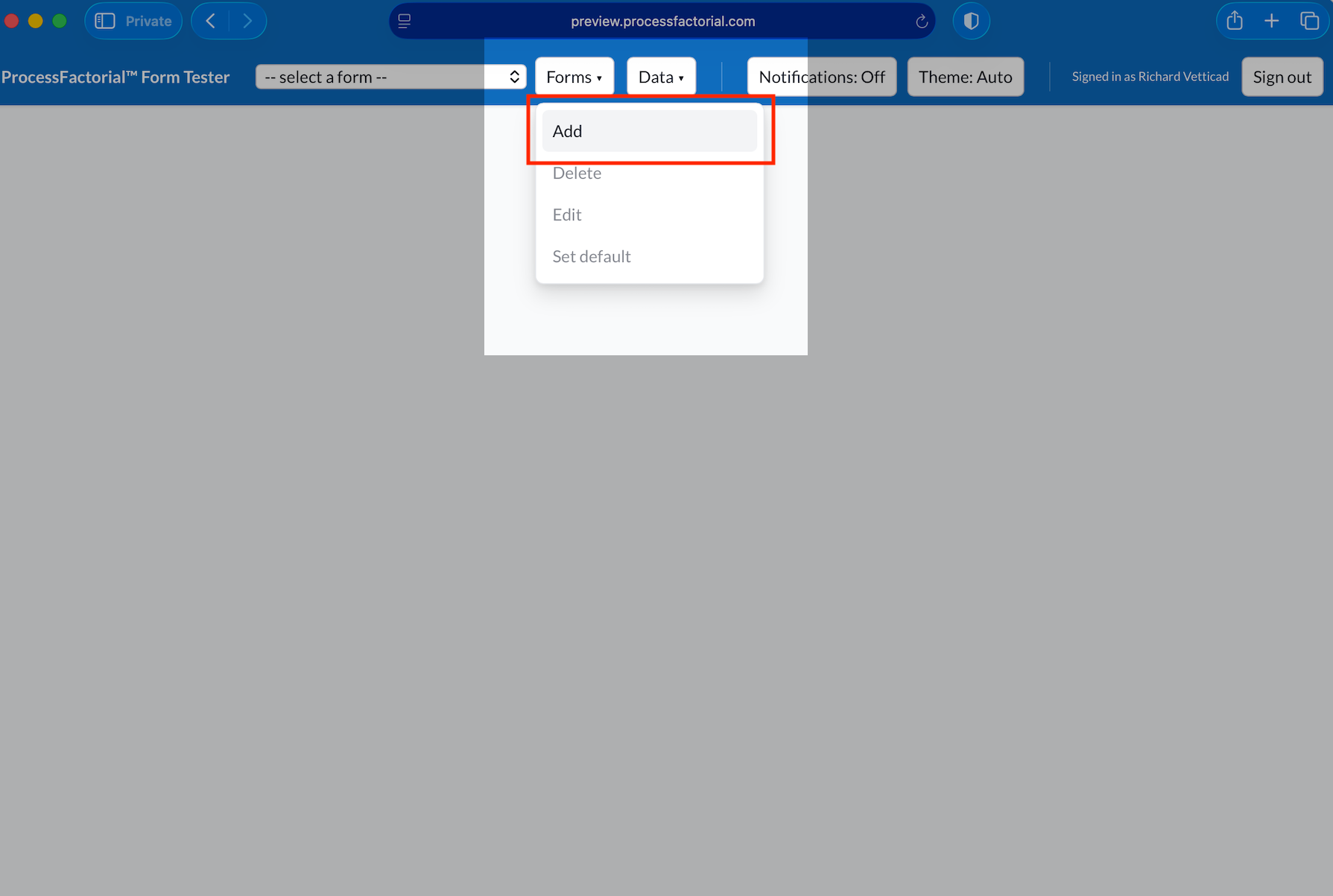
-
Provide a suitable name for the form and add the snippet in the box. Click on
Save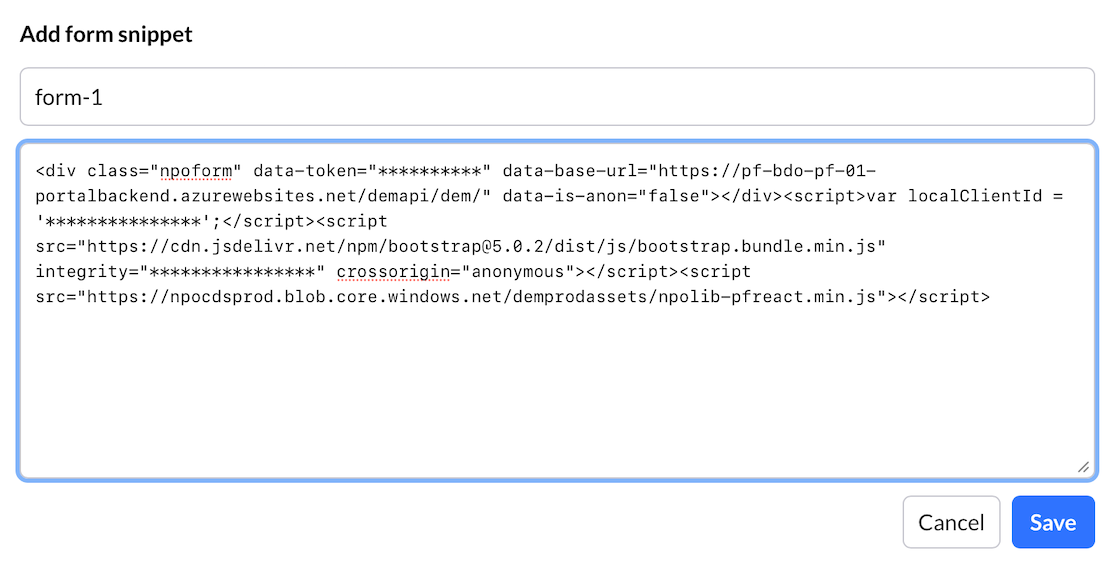
-
You form has now been loaded on the form tester!