Unit Test
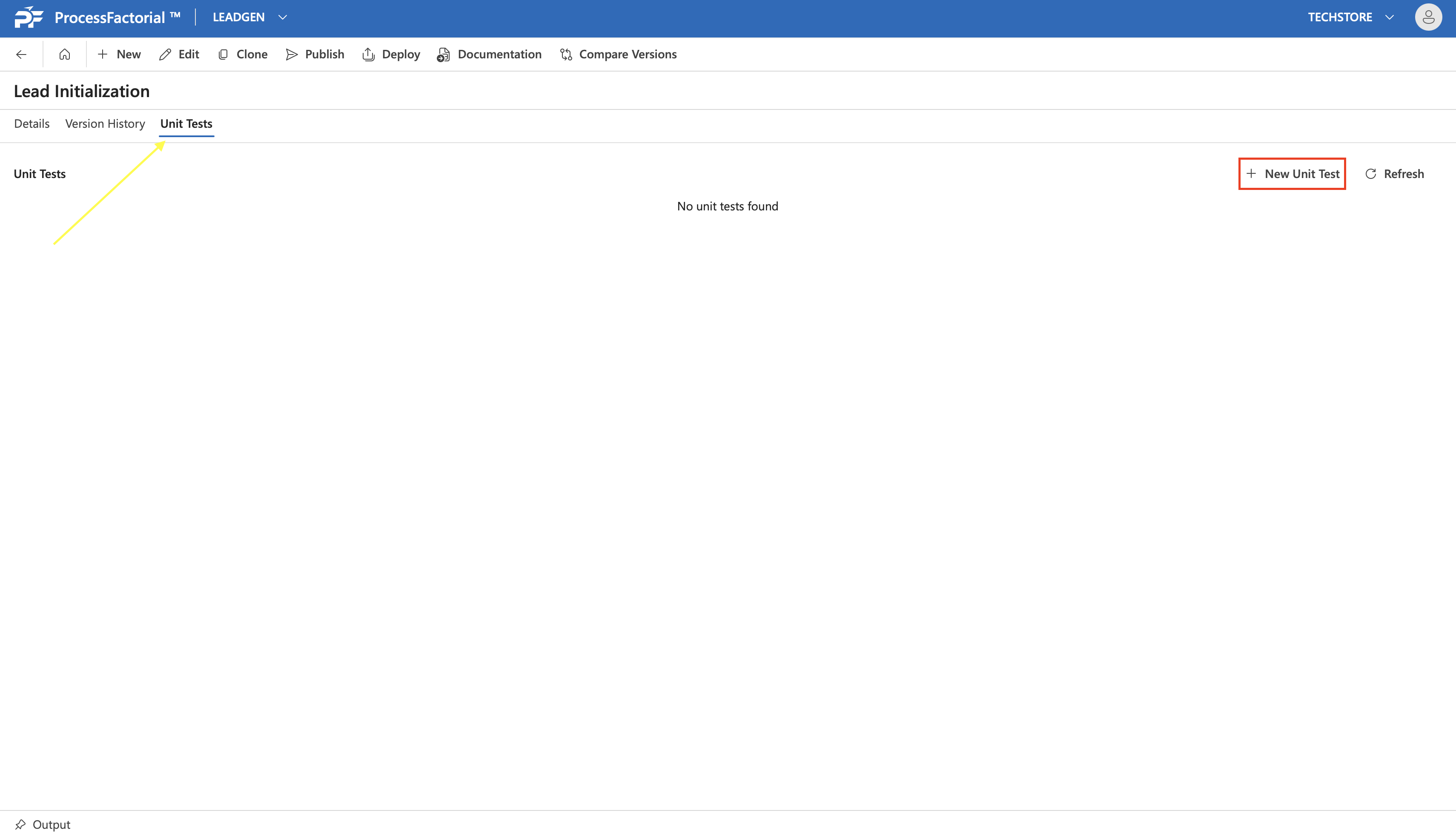
Unit Tests can be done for any Flow Step or Flow Action within a Factorial Flow The Unit Tests tab within a Factorial Flow provides records of all unit tests created and allows the user to create new unit tests as well. ^1ff5ae
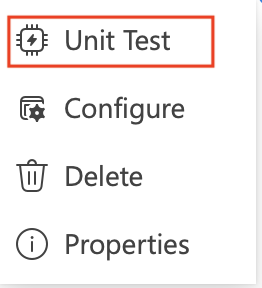
Unit tests on specific Flow Steps or Flow Actions can also be initiated by right-clicking on the respective Step/ Action and clicking on the Unit Test option in the context menu. ^ff81d3
Run a New Unit Test
Below steps illustrate how one can start a unit test.
-
Initiate a unit test from the
Unit Testtab in the flow (see here) or from the context menu (see here) of a Flow Step or a Flow Action A drawer panel opens up.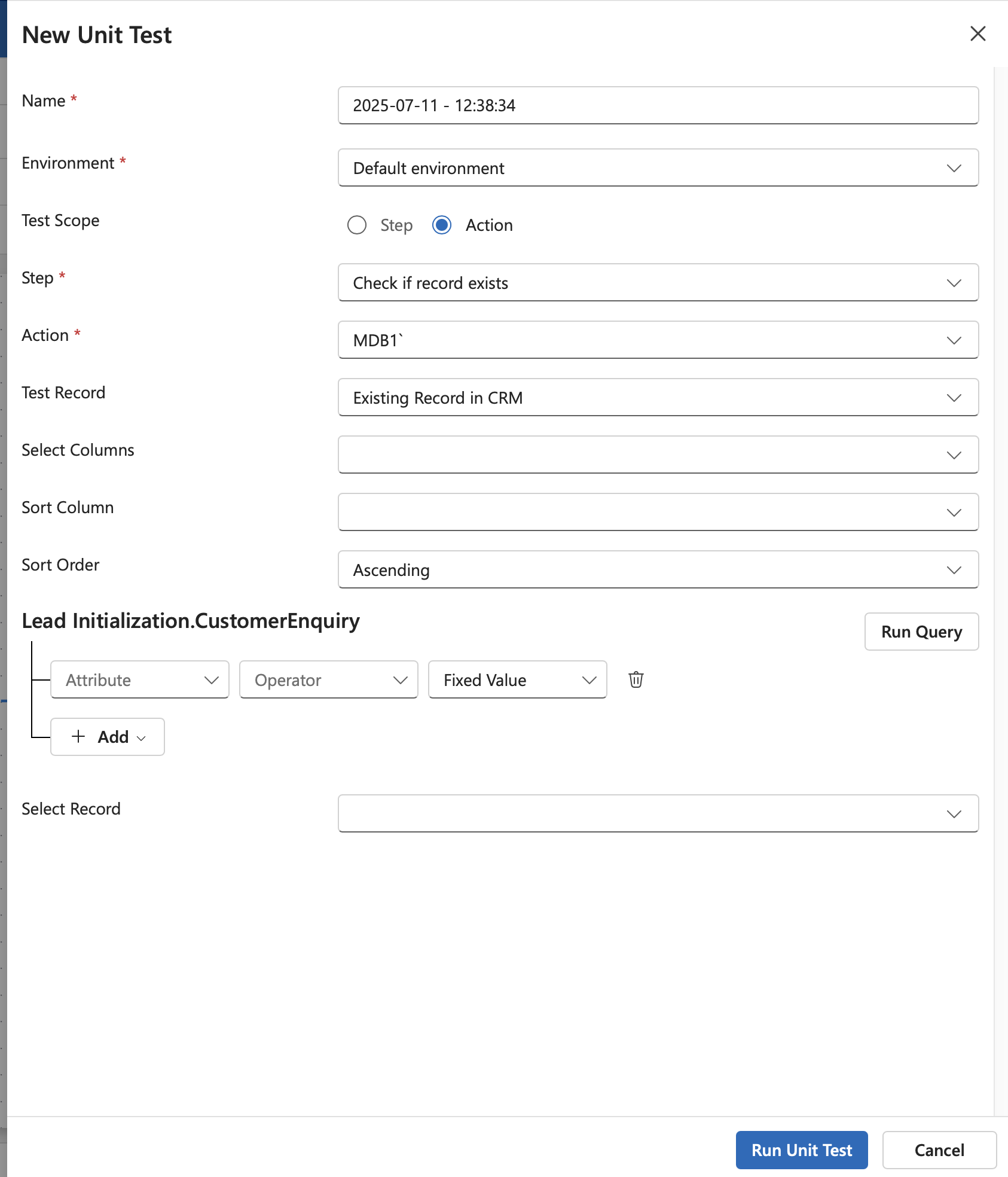
-
Within the drawer panel, fill out the following details. The unit test needs to be configured to execute for a record that can be filtered by a selection query.
Field Description Name Will be auto-populated with the current time-stamp Environment The environment for the unit test Test Scope Choose the scope of the unit test, either Step or Action Step Choose the Step to be unit tested Action Choose the Action to be unit tested. (Only required if the chosen scope is Action) Test Record The records to be associated with the unit test. Choose from:
1. Existing Record on the CRM
2. Test Data TempleteSelect Columns Columns of the associated business object to be returned by the query Sort Column Column to sort the query results by Sort Order Order of sorting of the query results, whether ascending or descending -
After filling the above details, define the conditions of the selection query using the attributes from the underlying business object.
- Click on the
Run Querybutton to execute the query and choose from any of the query results from theSelect Recorddropdown - Click on the
Run Unit Testbutton to run the unit test.
View Completed Unit Tests
Once a unit test has been run, its status can be viewed from the Unit Tests tab of the flow.
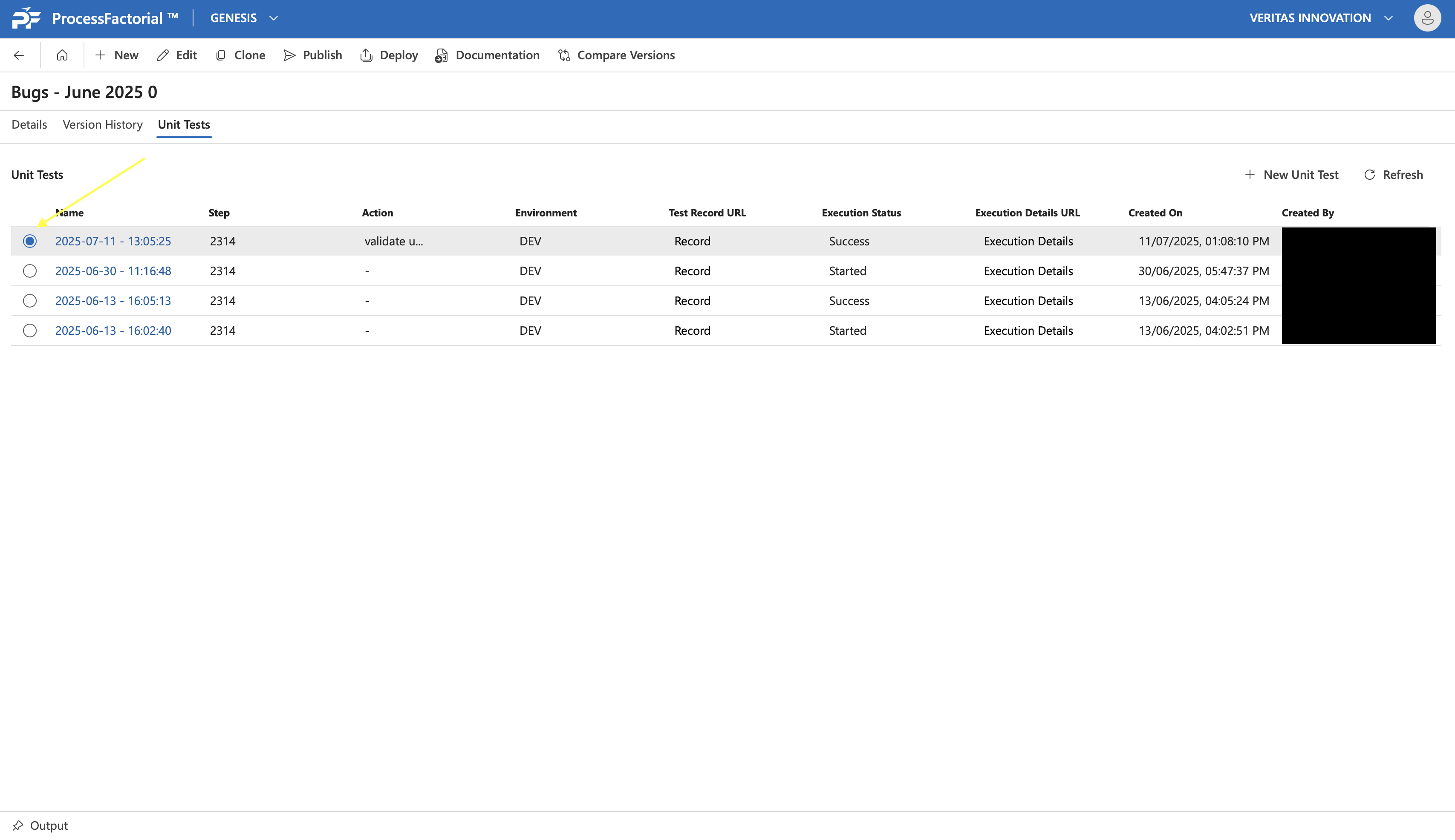
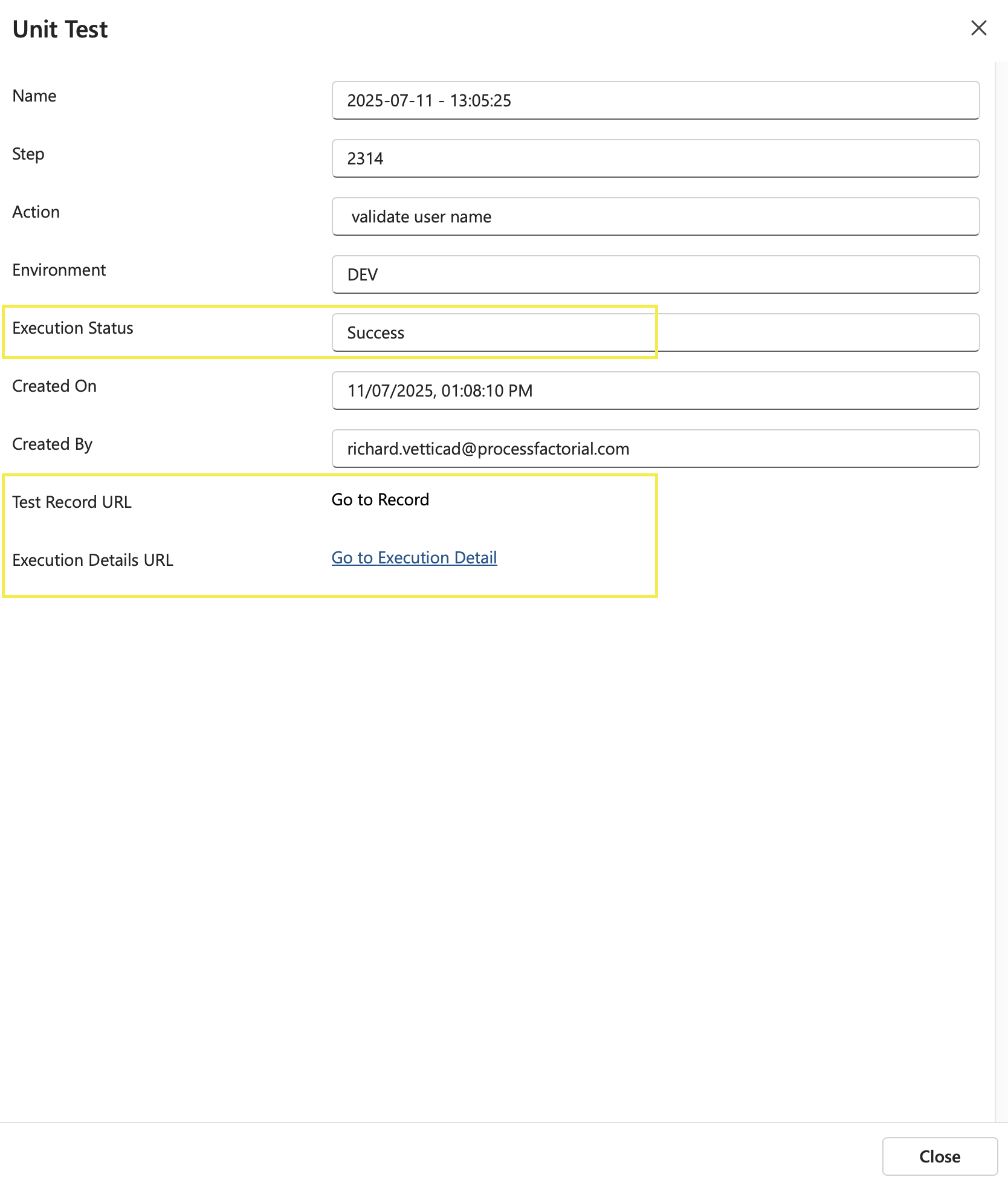
Clicking on any of the unit tests opens a summary panel that provides the Execution Status and links to the unit test record and the execution details.