Manage Actions
Flow Actions are the fundamental building blocks that constitute a Flow Step and can be created and managed from the Canvas
Add new Flow Action to a Factorial Flow
The steps below shows the typical path for adding a new Flow Action to a Canvas Once the Flow Action has been added, the Flow Action will allow for additional configuration based on its type.
- From the Factorial Flow Canvas, select the Flow Step that you wish to add the Flow Action to
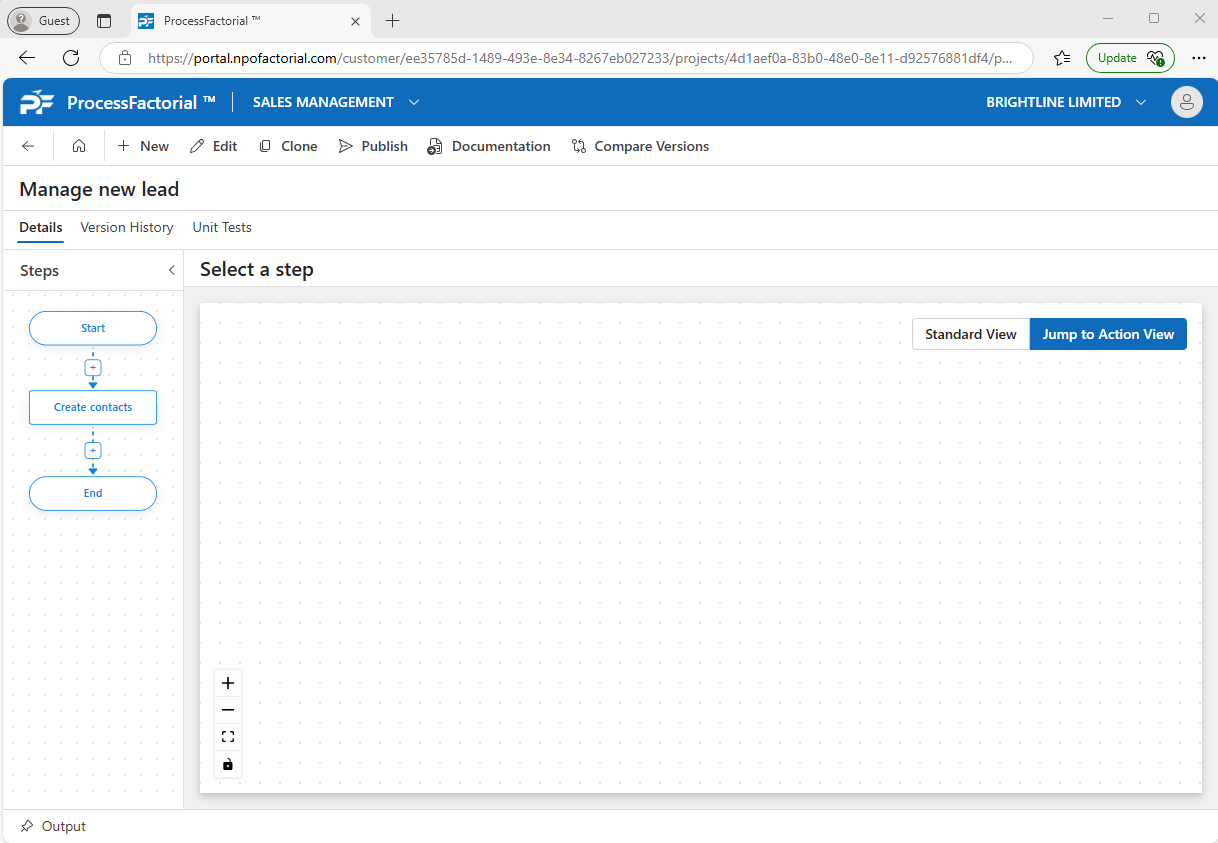
- Once selected, the main Canvas will show the existing Flow Actions in this step. Select the [+] sign where you want to add the Action
- Chose whether this is a new Flow Action or a copy of an existing Flow Action
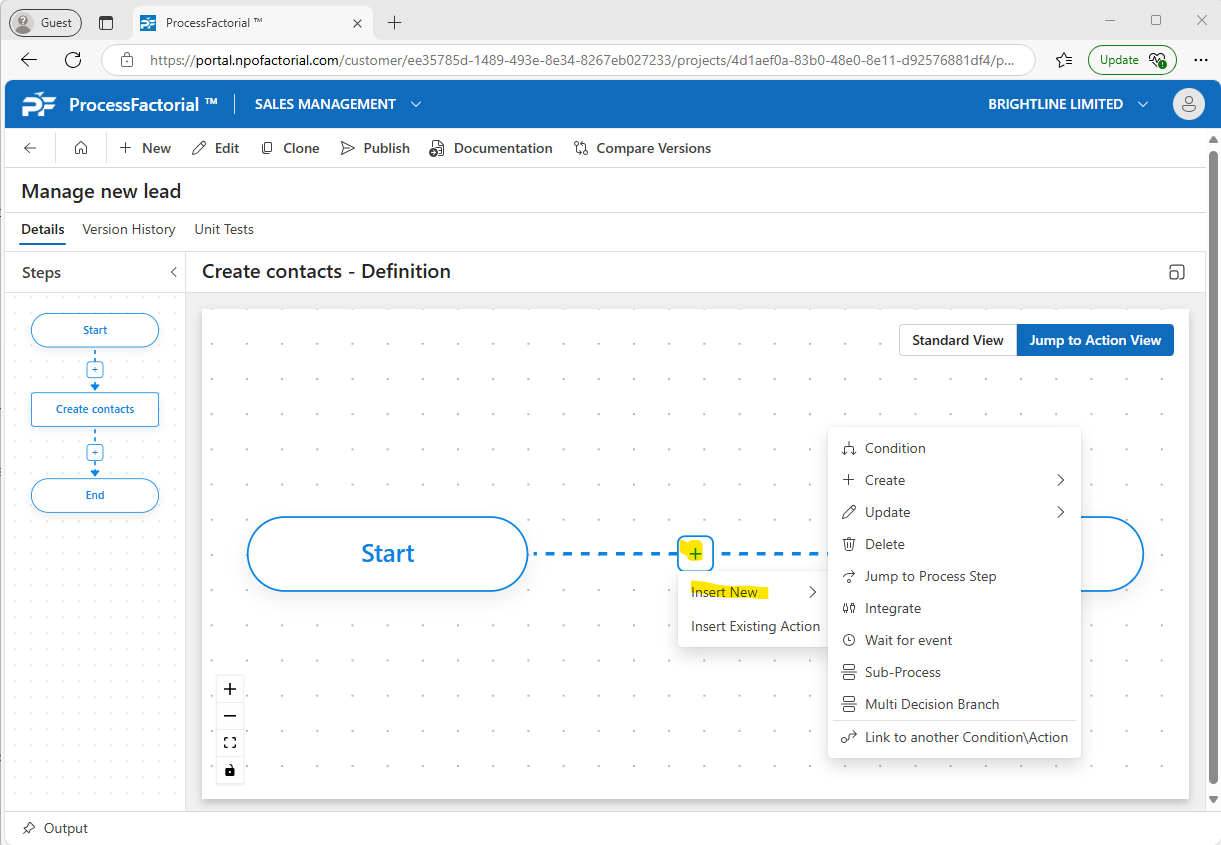
-
Depending on the action type, each Flow Action will have different configuration options. Each of these pages will describe the specific Flow Action in more detail:
Edit an existing Flow Action on a Factorial Flow
This section outlines how to edit an existing Flow Action
- From the Factorial Flow Canvas, select the Flow Step that you wish to add the Flow Action to.
- Once selected, the main Canvas will show the existing Flow Actions in this step. Either double click the Flow Action or right click it and select Properties.
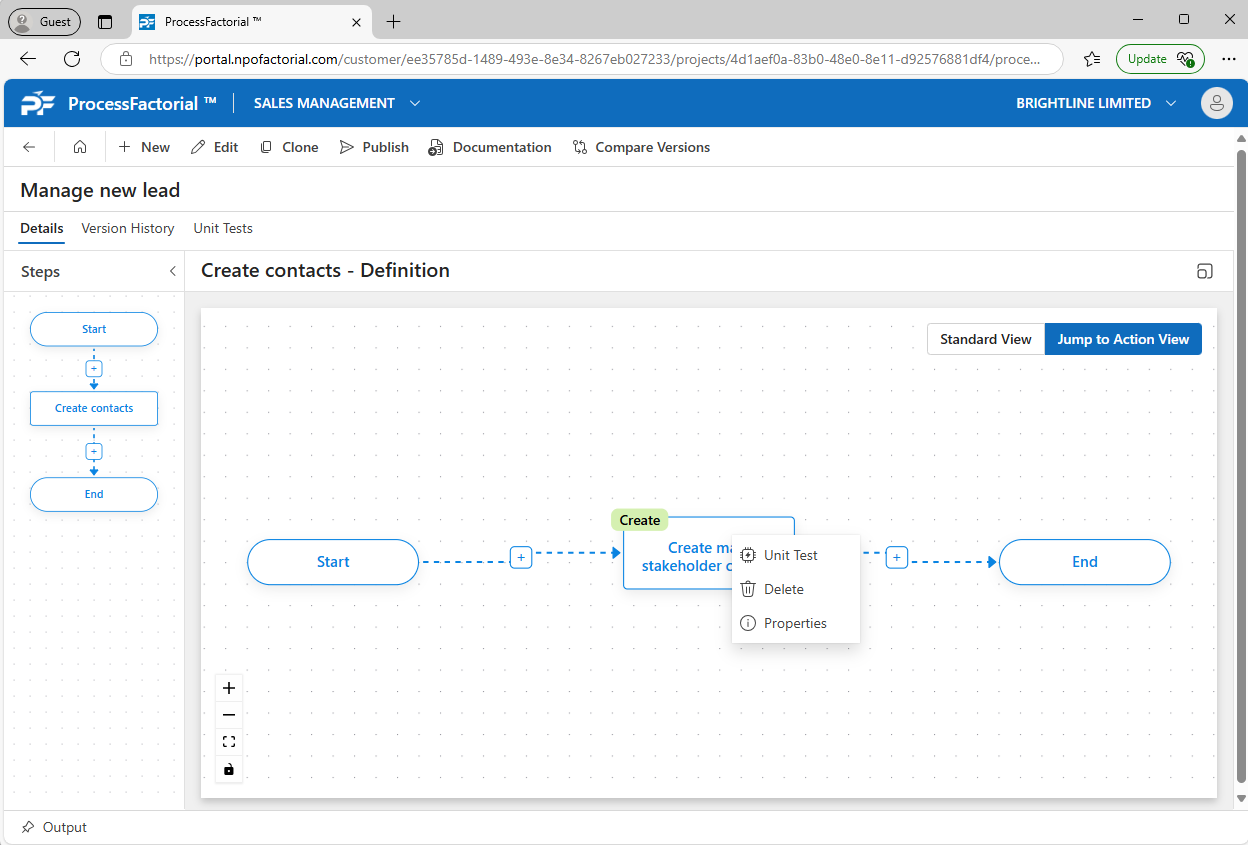
- Make required changes corresponding to the action type.
- Click on
Save & Closeto complete the changes, else click onCancelto discard all changes.
Delete an Action
Follow the below steps to delete an existing action.
- On the Canvas, right-click on the action to be deleted and click on the
Deletebutton.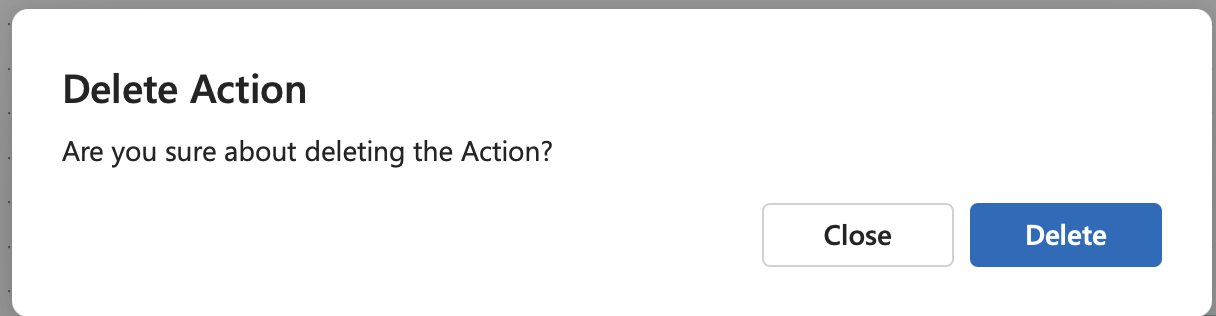
- Click on the
Deletebutton in the confirmation dialog box to complete the deletion, else click onCloseto abort.