Update Single
This page outlines how to configure an Flow Action on a Factorial Flow to update a record on the target Data Store
For instance, updating an existing Contact record matching specific criteria.
Add an Update Single Action
- Follow the instructions on how to Manage Actions
- Enter Basic Flow Action Details that is common for all the Flow Action elements
-
The
Update Contextfield will be the Business Object housing the records to be updated (e.g., a Contact Data table).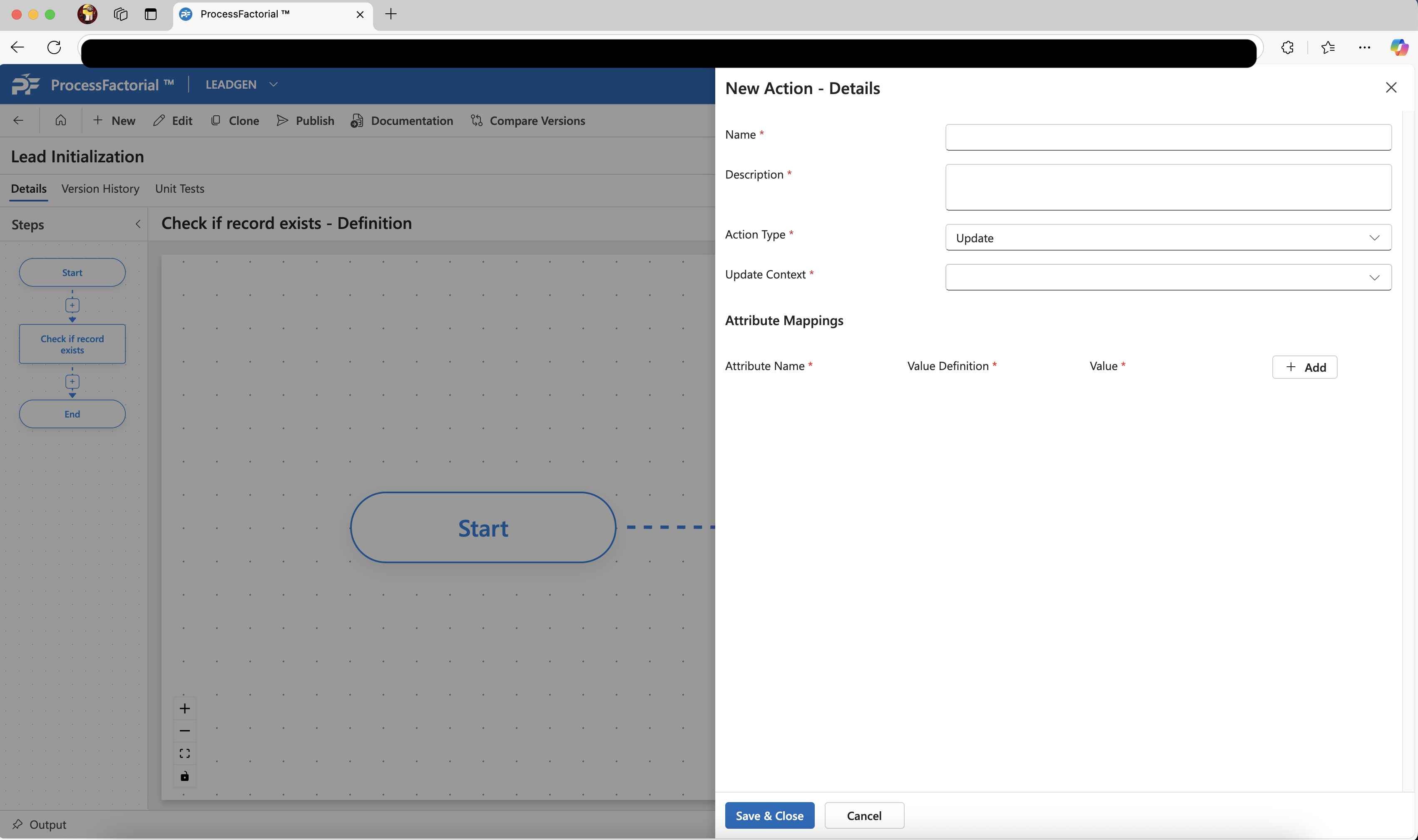
-
After choosing the
Update Context, define thePrimary Context(which appears below theUpdate Context) to build the query needed to filter the records.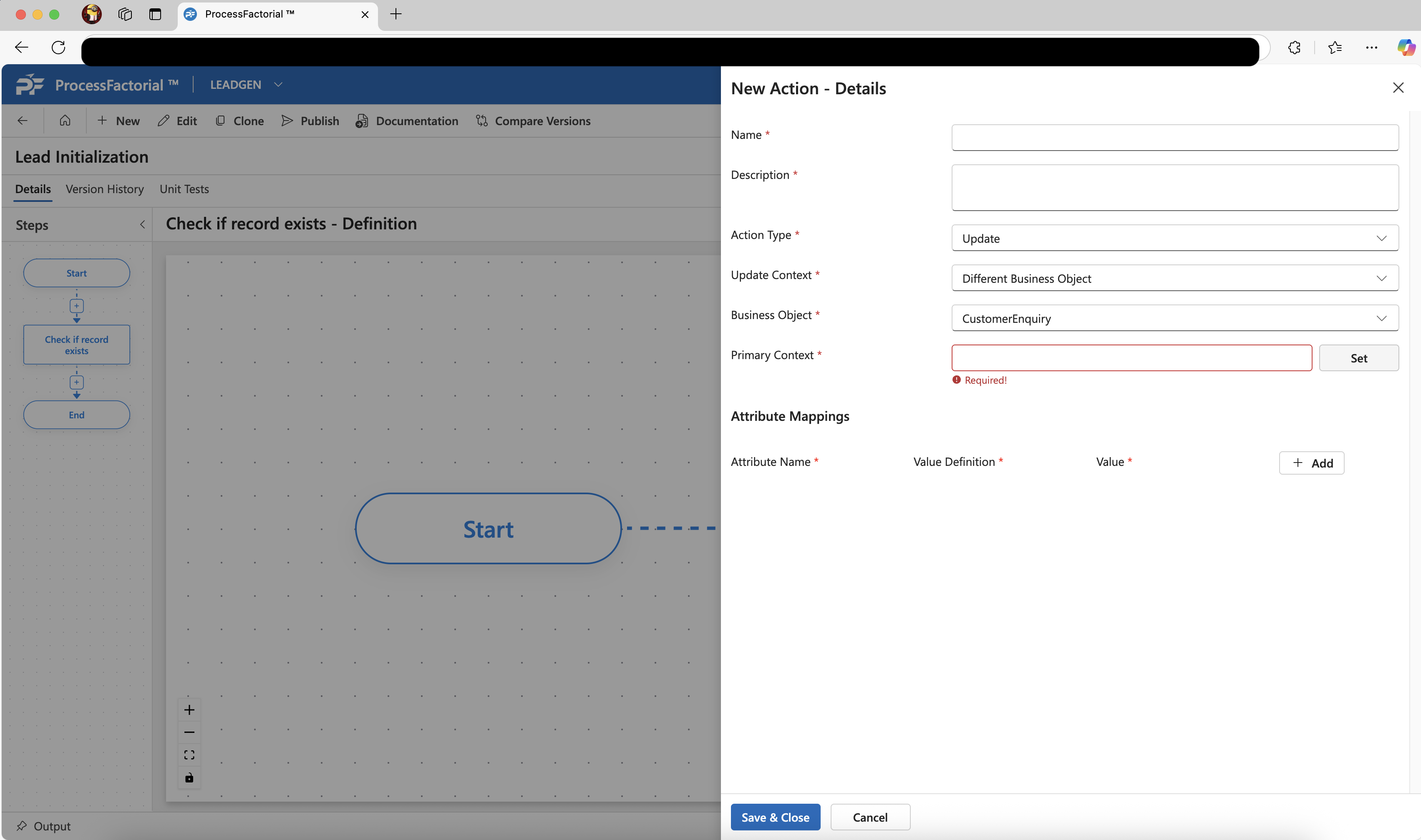
-
Click on the
Setbutton to define the selection query. Fill in the basic details ofNameandDescription. Choose a Business Object to query. After selecting the business object, click the+ Addbutton below it to add conditions based on the attributes that define the query.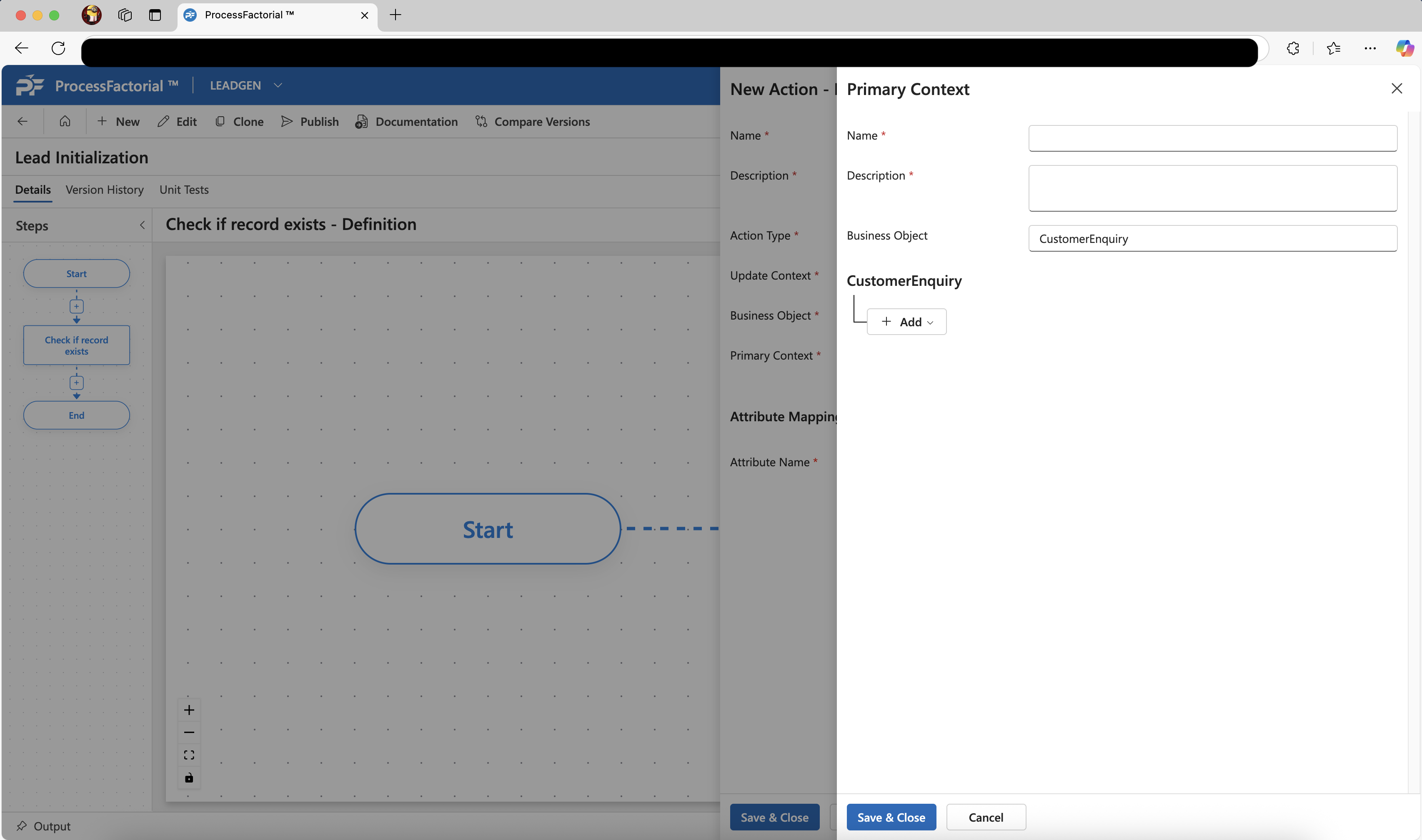
-
Once the query has been defined click on
Save & Closeto save thePrimary Context. -
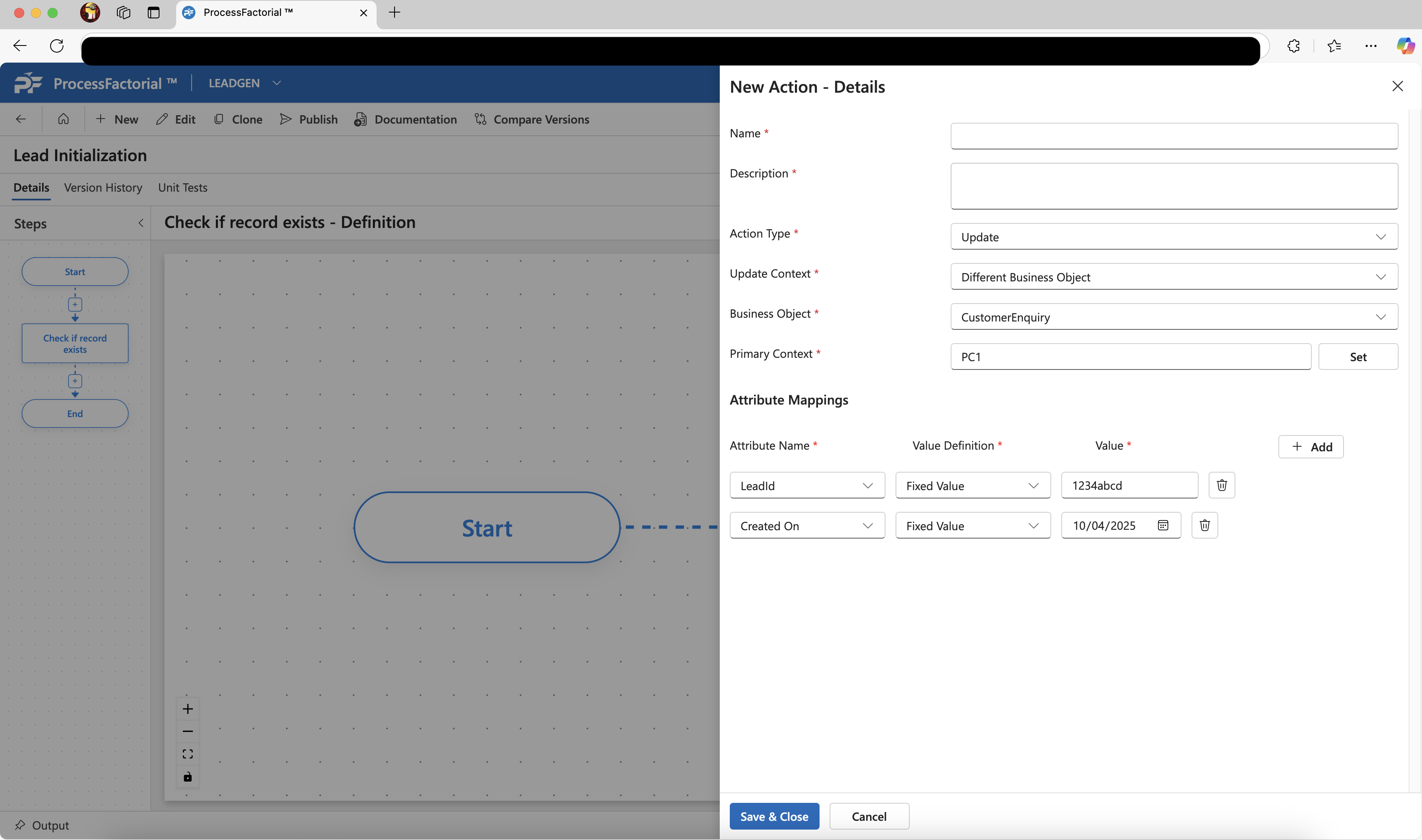
Add each of the attributes to be updated in the [[{DRAFT}Attribute Mappings]] section, with the respective values that need to be updated.
-
Click on
Save & Closeto save the action.