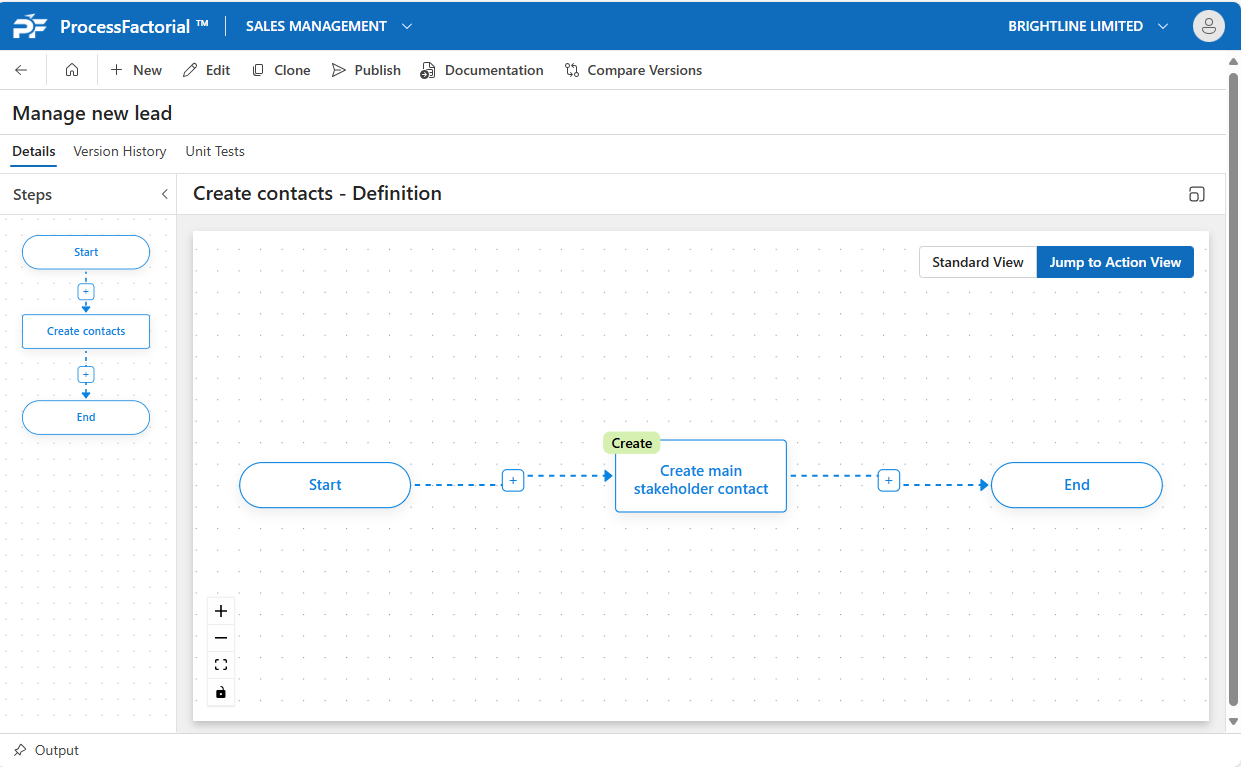
Create Single
This page outlines how to configure an Flow Action on a Factorial Flow to create a record on the target Data Store
An example of this is creating a new Contact record against a parent Account.
Add Create Single Action
- Follow the instructions on how to Manage Actions
- Enter Basic Flow Action Details that is common for all the Flow Action elements.
- The Business Object field will be the type of record we want to create, such as a Contact record.
-
Add each of the fields to be updated in the Attribute Mappings section.
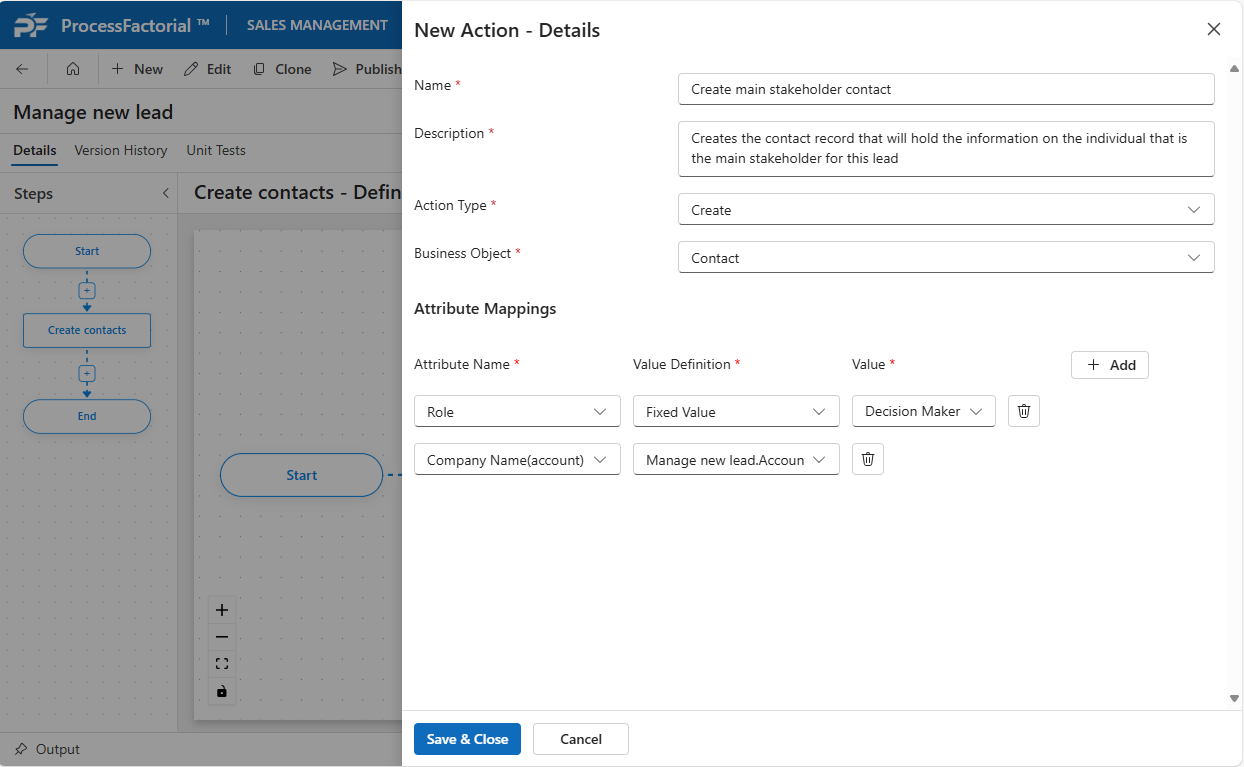
-
Save and close. The action will now be added to the canvas.