Sync Metadata
This page outlines how to link your NPO Project on the ProcessFactorial Portal to your transactional Data Store
Linking your environment will allow you to sync Transactional Metadata between your Data Store and ProcessFactorial Portal This can then be used to create your Business Processes and Factorial Forms
Note
Whenever you make changes to the Transactional Metadata, always come back here to Sync the Business Objects
Sync Metadata with the Default Environment
- Log on to the ProcessFactorial Portal
- Open up the customer by clicking on the hyperlink of the customer name
- Open up the project by clicking on the hyperlink of the project name
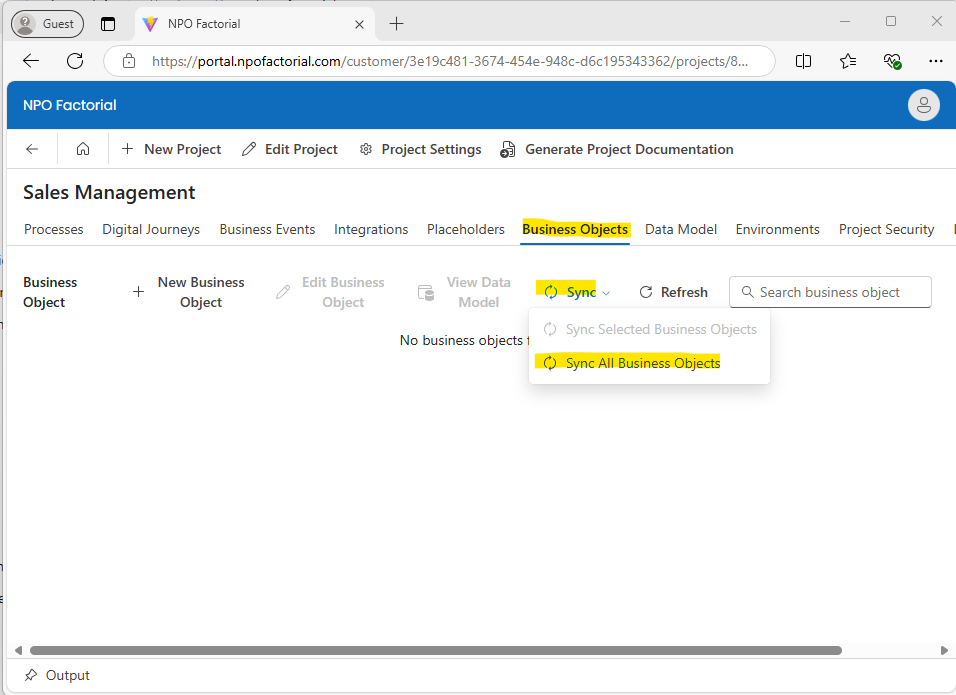
- Click on the Business Objects tab and click Sync, then Sync All Business Objects. This will sync the Business Objects between the ProcessFactorial Portal and your Data Store
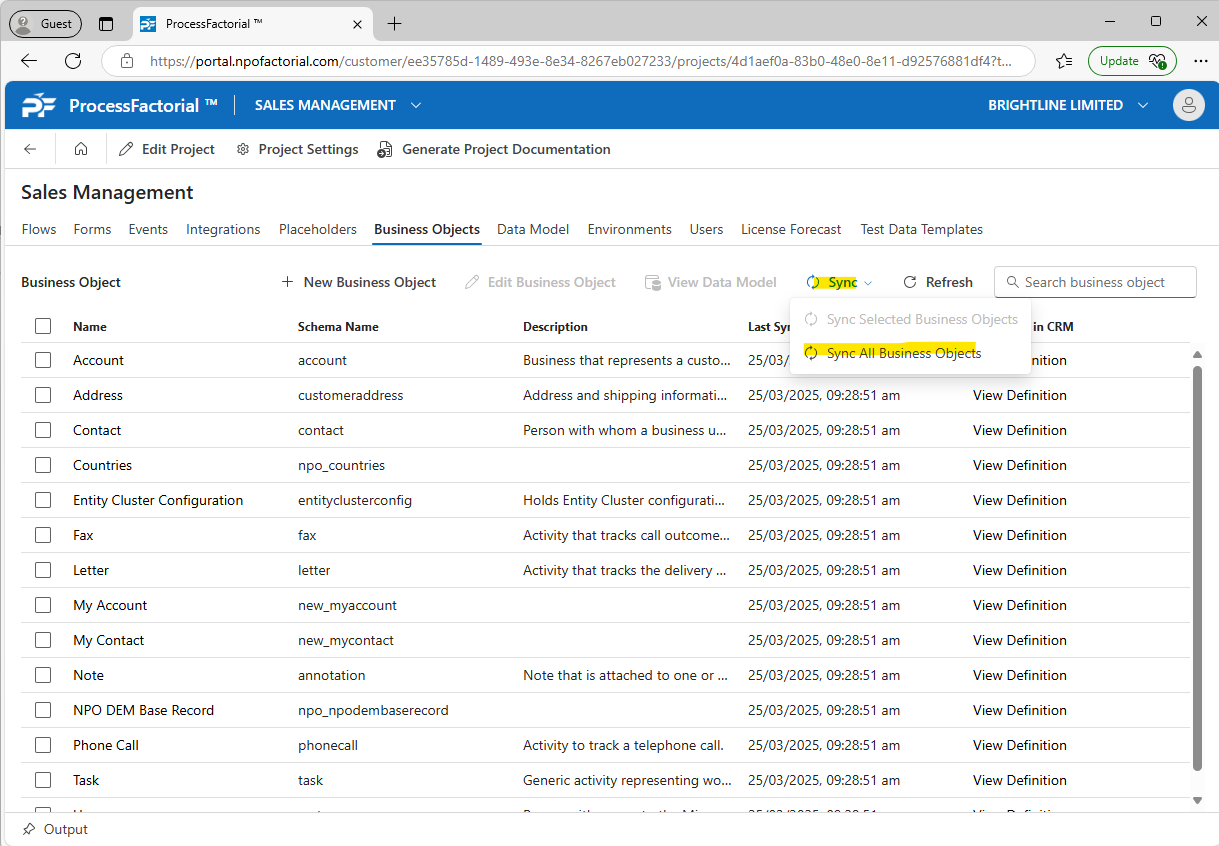
- Once done, click the Refresh button to update the grid with the Business Objects
Previous: Manage Project