Manage Business Object
This page outlines how to create and manage Business Objects in the ProcessFactorial Portal Business Objects can be managed by navigating to the Business Objects page within a Project as follows.
- Login to the ProcessFactorial Portal ^ced93c
- Open the required customer page by clicking on the respective customer name.
- Open the required project page by clicking on the respective project name.
- Finally, Click on the
Business Objectstab as indicated in the screenshot below.
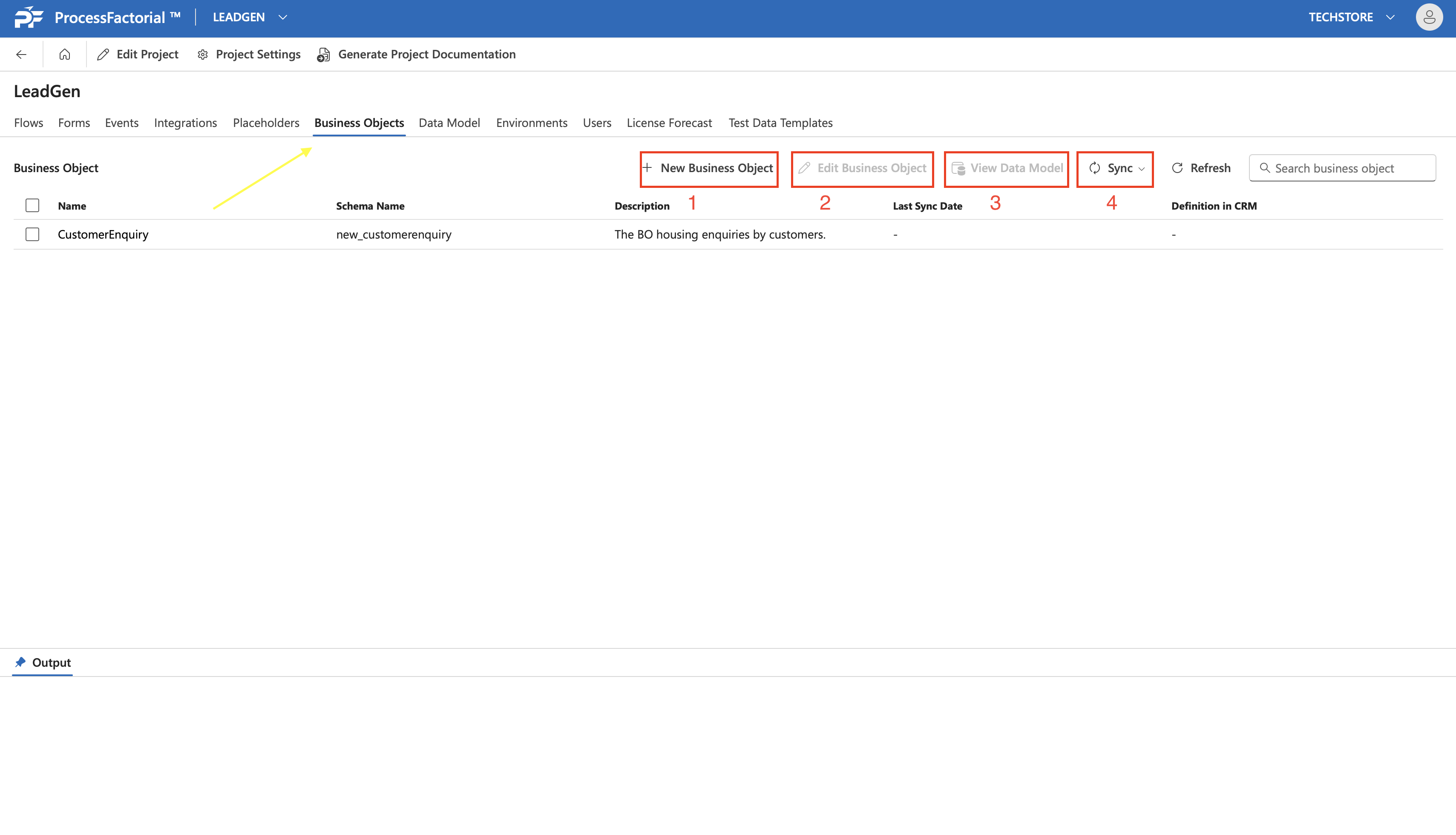
Create a Business Object
Follow the below steps to create a Business Object
- Once within the
Business Objectspage of the project (see here for navigation), click on theNew Business Objectbutton at the upper-right panel. - In the drawer panel that slides open, fill out the below details.
| Field | Description |
|---|---|
| Name | A suitable name to refer to the business object |
| Plural Name | The corresponding plural name to refer multiple instances of the business object by |
| Description | A succinct description for the business object |
| Schema Name | A suitable name for the schema |
| Primary Key | The attribute of the business object that needs to be designated as the primary key |
| Reference Business Object | |
| Allow Record Caching | |
| Primary Field Name | |
| Primary Field Schema Name | |
| Primary Field Data Type | |
| Creation Source | |
| CRM Sync Status |
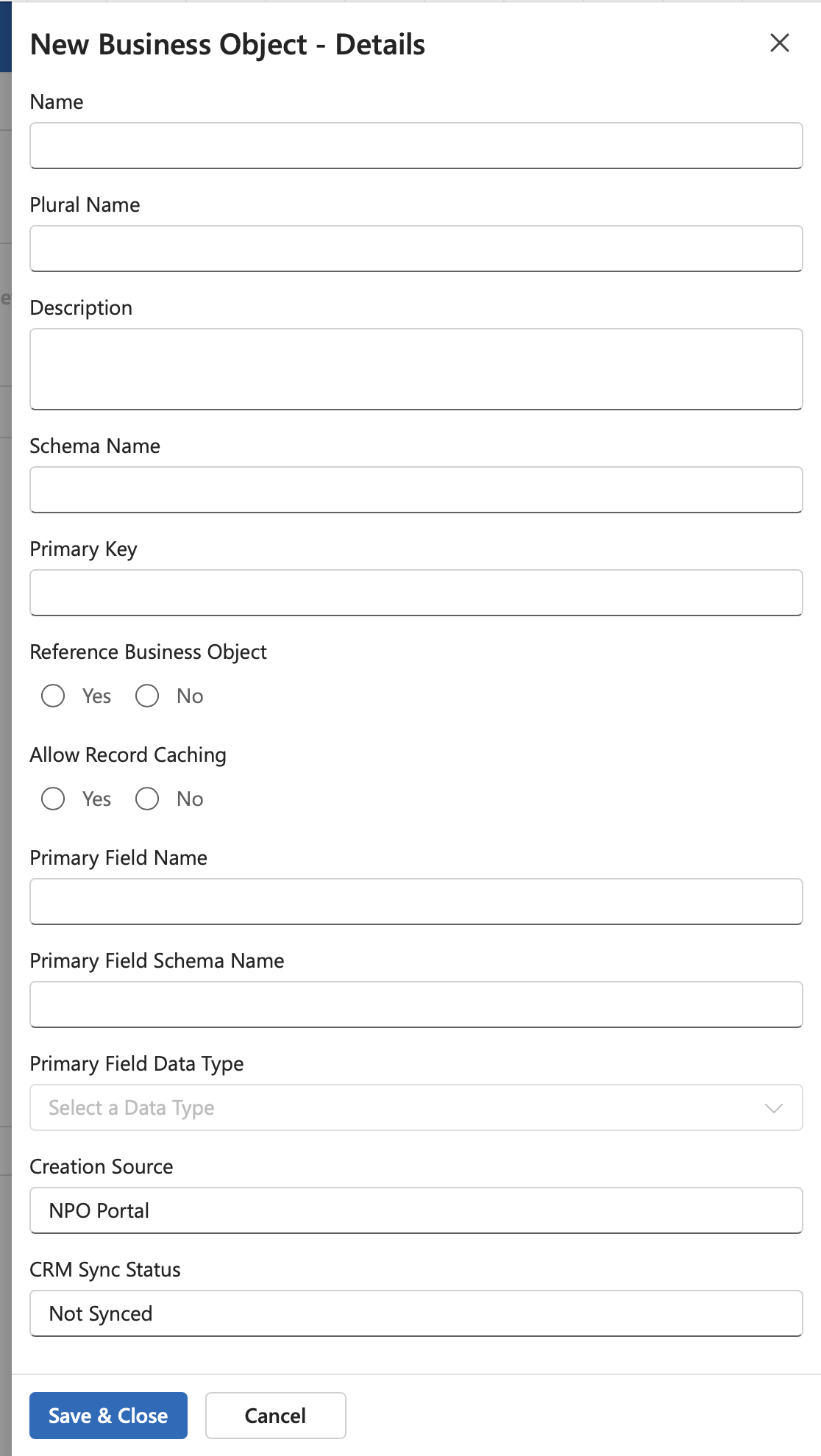
- Click on the
Save & Closebutton to save the details and create the business object. The business object will now be listed in theBuisness Objectspage.