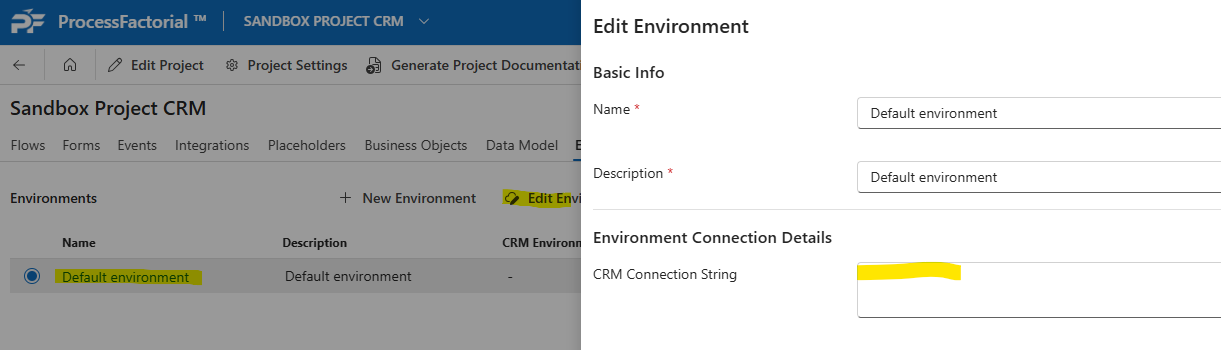
Dataverse ConnectionString cannot be null or empty
Description
When the user attempts to interact with the backend Data Store, the user gets presented with an error
Scope
This error can happen on SaaS Model and Customer Hosted Model installations
Error Message
This is the error message returned to the portal user
{
    "message": "An error occurred while syncing the business objects: POST to 'URL/api/metadata/tables?loglevel=Error' failed with BadRequest :: {\"responseCode\":null,\"message\":\"Dataverse ConnectionString cannot be null or empty. (Parameter 'Dataverse ConnectionString')\",\"content\":null,\"numberOfSubQueries\":null,\"errors\":[\"Exception: Dataverse ConnectionString cannot be null or empty. (Parameter 'Dataverse ConnectionString'): \"],\"warnings\":null,\"stackTrace\":null,\"errorType\":0}",
    "errors": [
        "An error occurred while syncing the business objects: POST to 'URL/api/metadata/tables?loglevel=Error' failed with BadRequest :: {\"responseCode\":null,\"message\":\"Dataverse ConnectionString cannot be null or empty. (Parameter 'Dataverse ConnectionString')\",\"content\":null,\"numberOfSubQueries\":null,\"errors\":[\"Exception: Dataverse ConnectionString cannot be null or empty. (Parameter 'Dataverse ConnectionString'): \"],\"warnings\":null,\"stackTrace\":null,\"errorType\":0}"
    ],
}
Known Instances
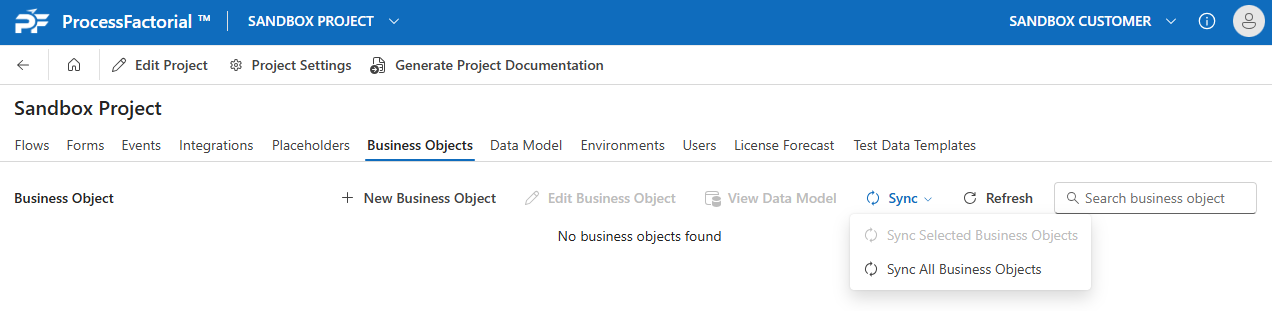
Data Model Sync
When the portal user attempts to do a sync of the data model:
Cause
The Connection String has not been configured or the connection string secret is not valid or expired
Resolution
Ensure that the connection string to the Data Store has been configured and is valid. This includes ensuring the secrets are valid. For syncing the data model, this will be the Default Environment. For any data interactions, it will be the relevant target environment, for example, Dev, Test, Prod, etc.